Create EC2
At this section, you will create EC2 for each VPCs.
Create EC2
To create EC2, follow these steps:
- Access EC2
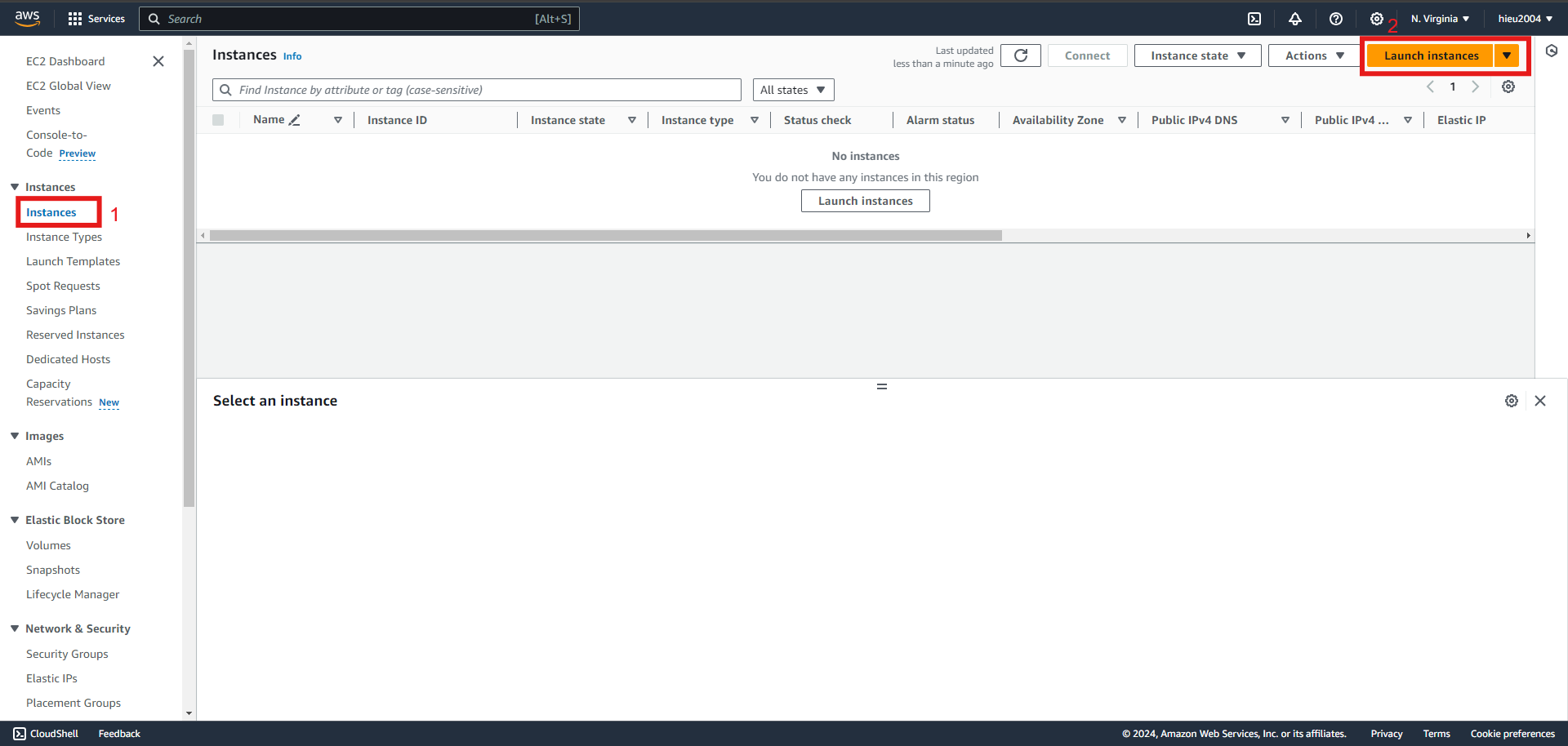
- Instance -> Create Instance
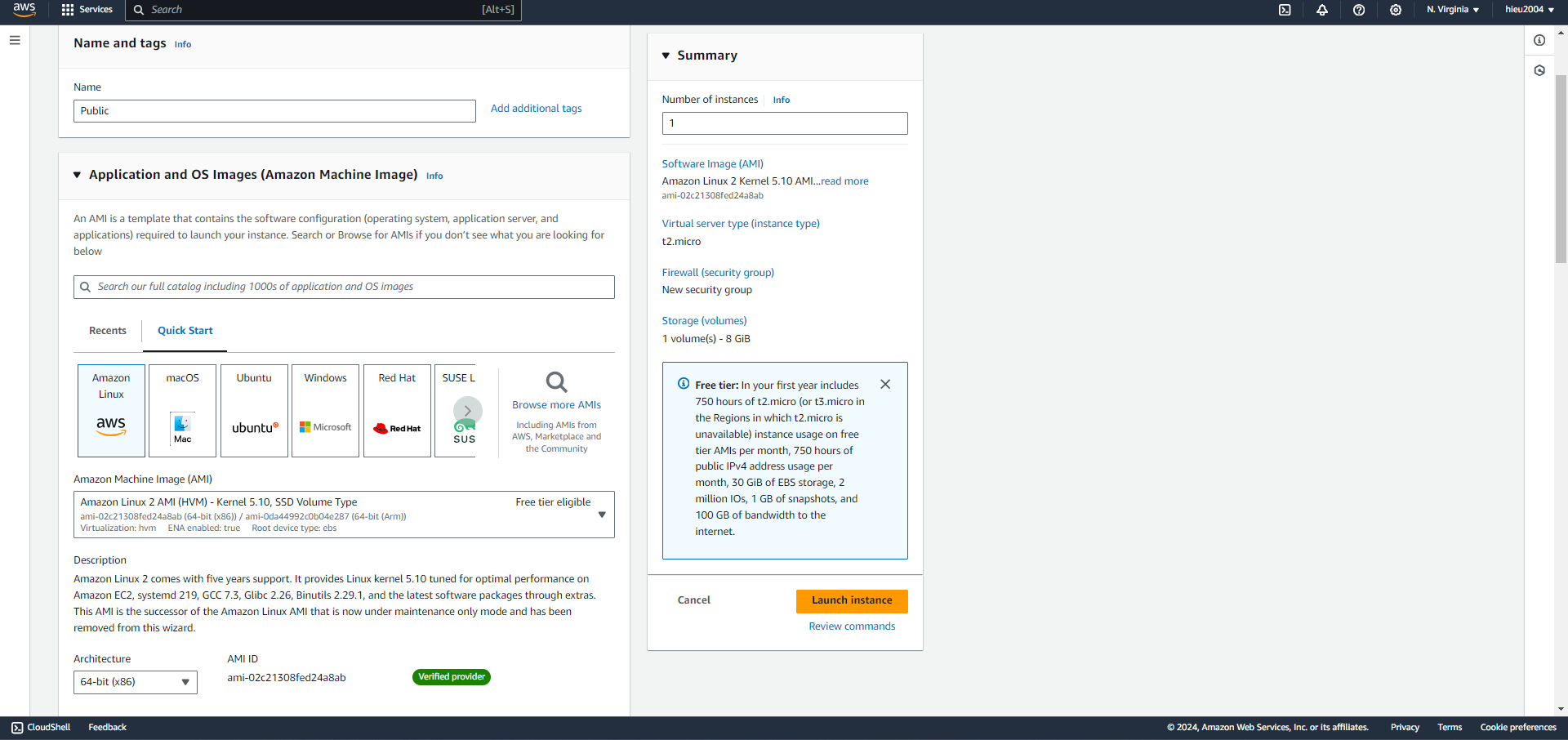
- AMI, in this workshop i choose Amazon Linux 2AMI
- t2.micro
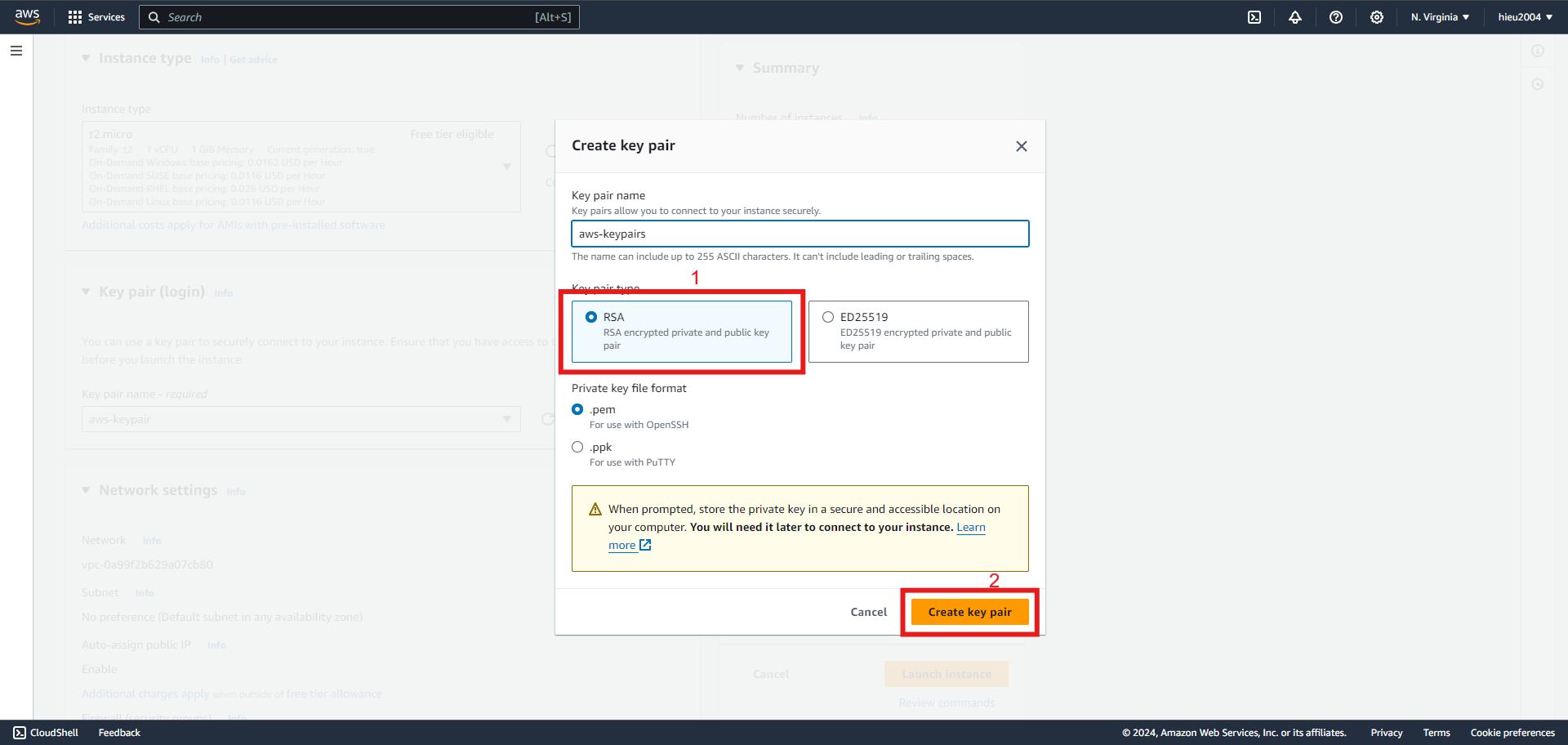
- Select key pair, if you don’t have a key pair, select create key pair as shown below
- At Network settings choose edit
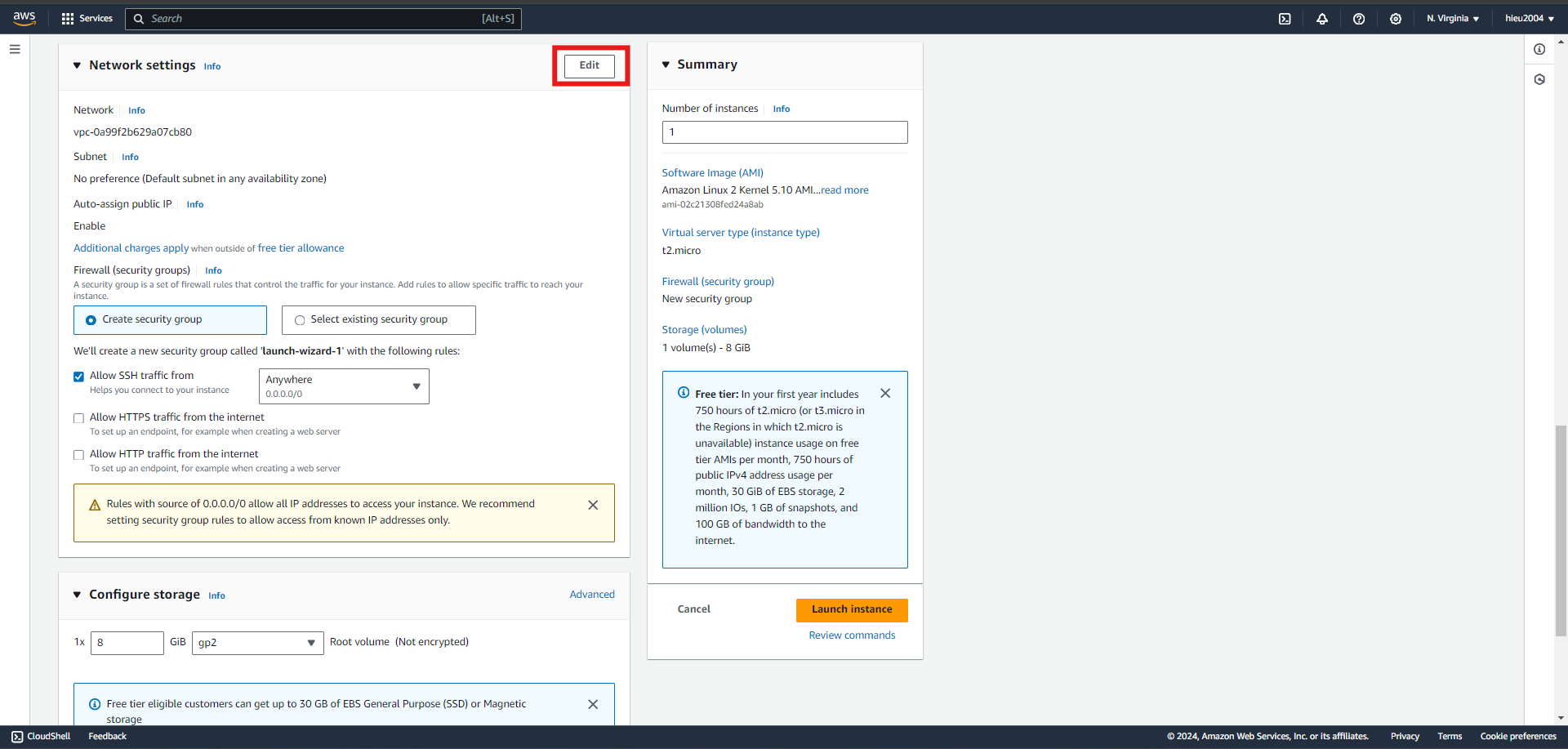
- Chosse VPC, Subnet as the EC2 you want to config. Create security groups, type SG name, description, add 1 SG rules and config public EC2 as below :
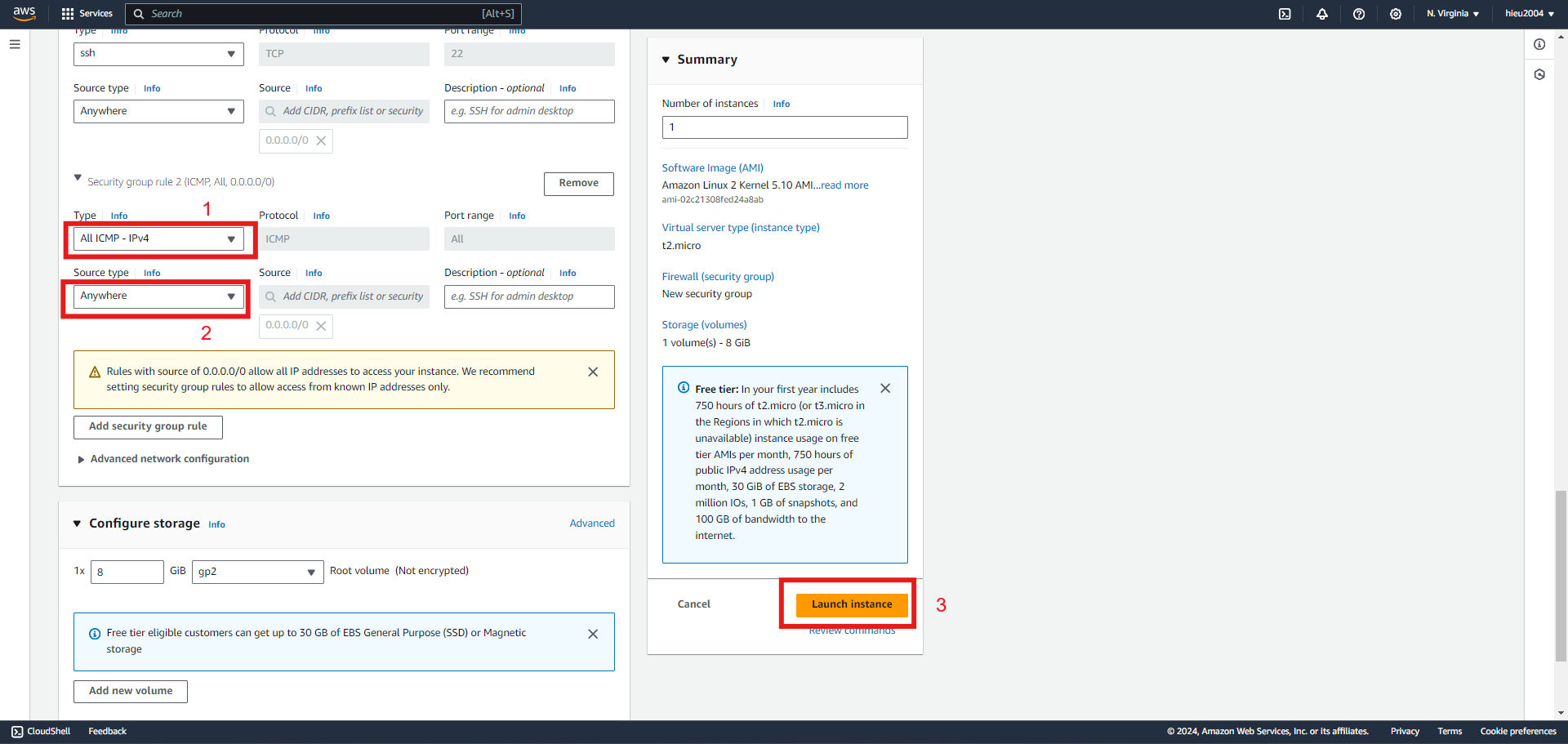
- Launch Instance to create EC2
- with EC2 in private we config SG as shown below
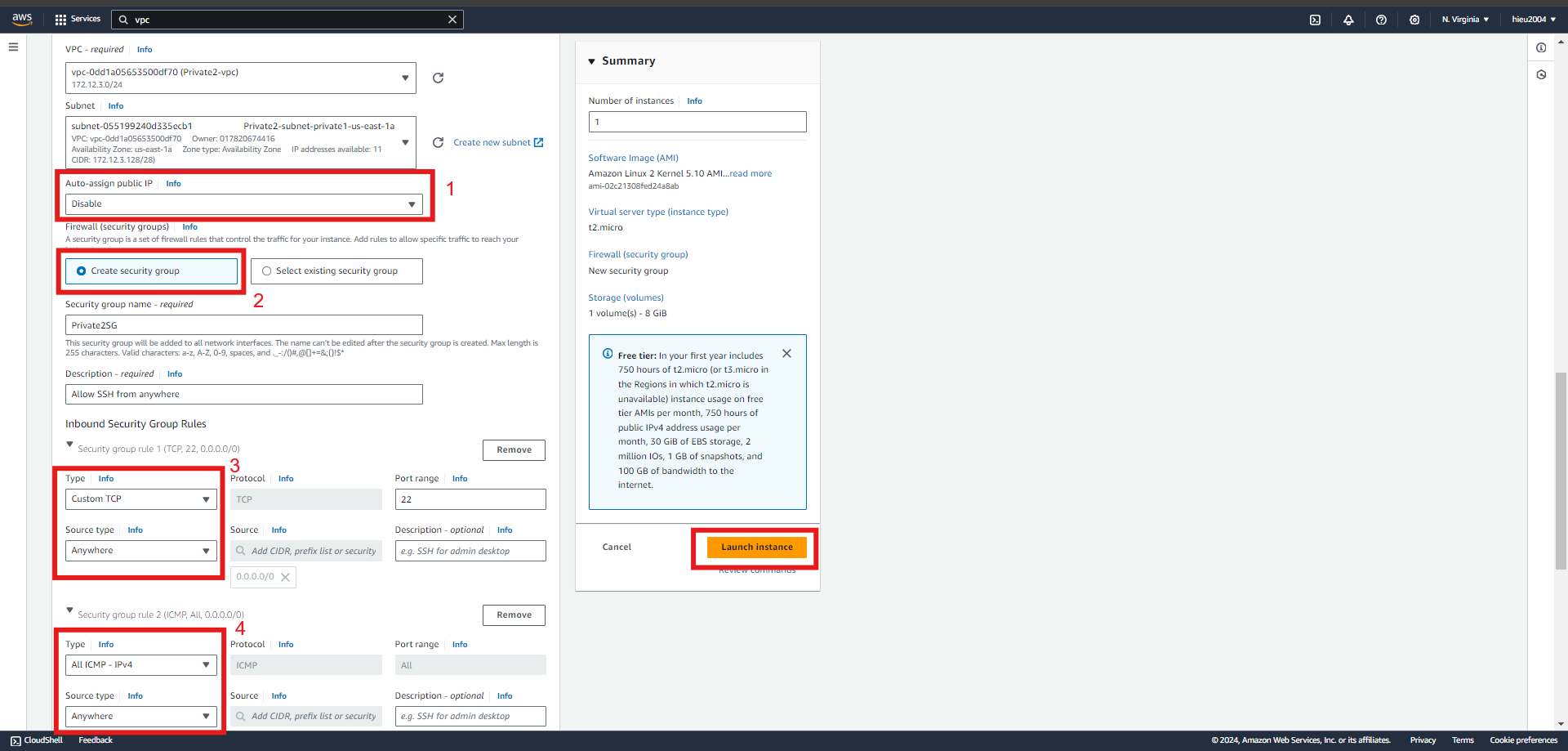
- Do the same with other subnets
Test the connection of EC2 public
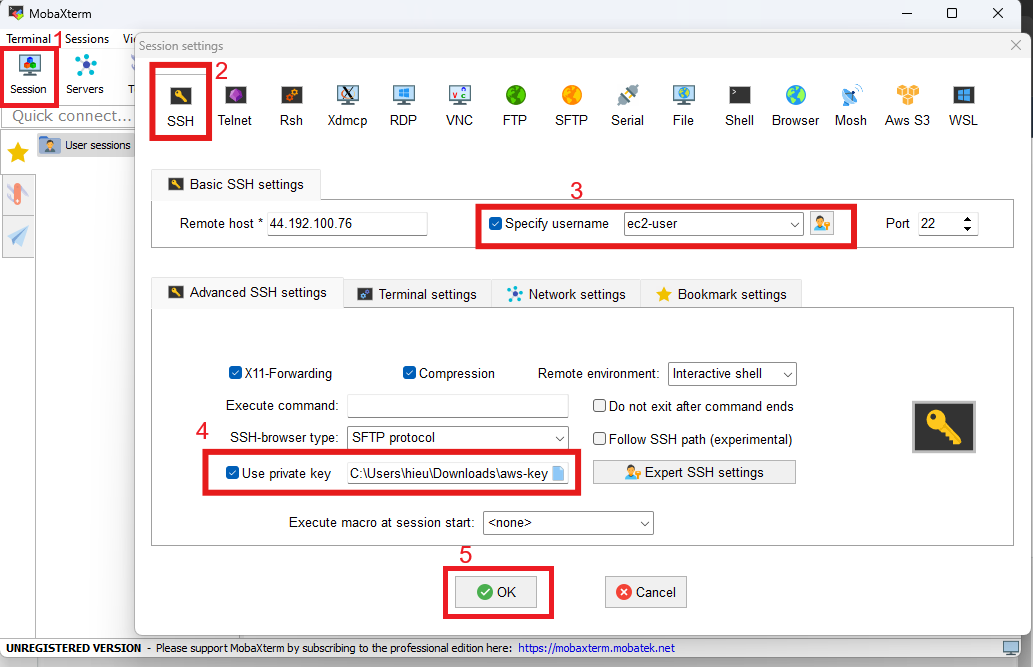
- I use MobaXterm so the steps will be as follows
- SSH -> type Remote host (Public IPv4 of EC2) -> Specify username “ec2-user” -> Port 22 -> Advanced SSH settings -> use private key and select file key which is downloaded after create key pair
- When the EC2 connection is successful, enter the following to check
ping amazon.com -c5.The result as shown in the picture means that EC2 has successfully connected to the internet.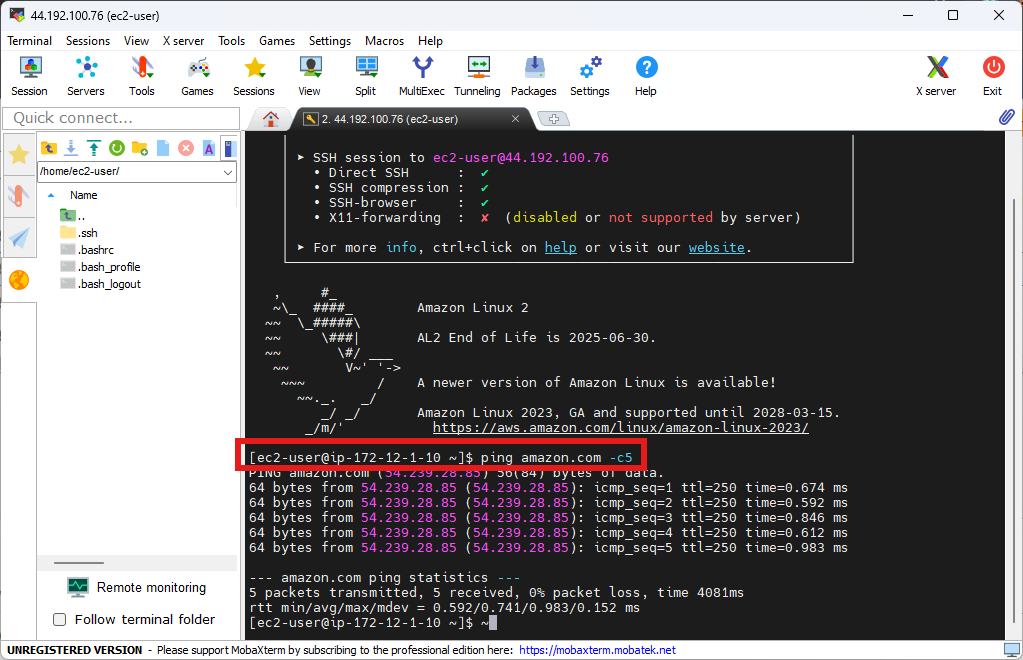
- SSH -> type Remote host (Public IPv4 of EC2) -> Specify username “ec2-user” -> Port 22 -> Advanced SSH settings -> use private key and select file key which is downloaded after create key pair