Create VPCs
At this section, you will create VPCs with the given IP address on the graph.
Create VPCs
To create VPC, we do the following:
- Access to VPC.
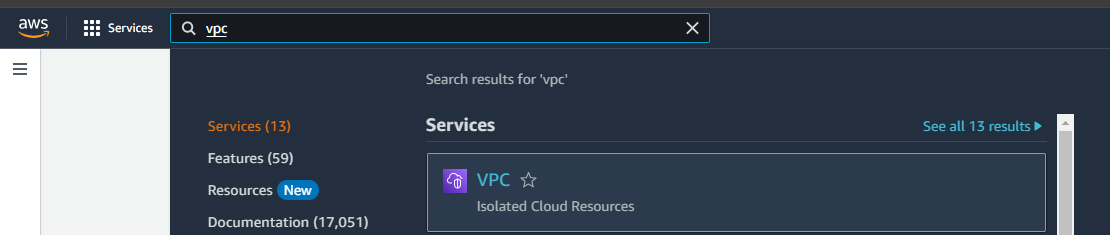
- At navigation choose VPC.
- Then choose Create VPC.
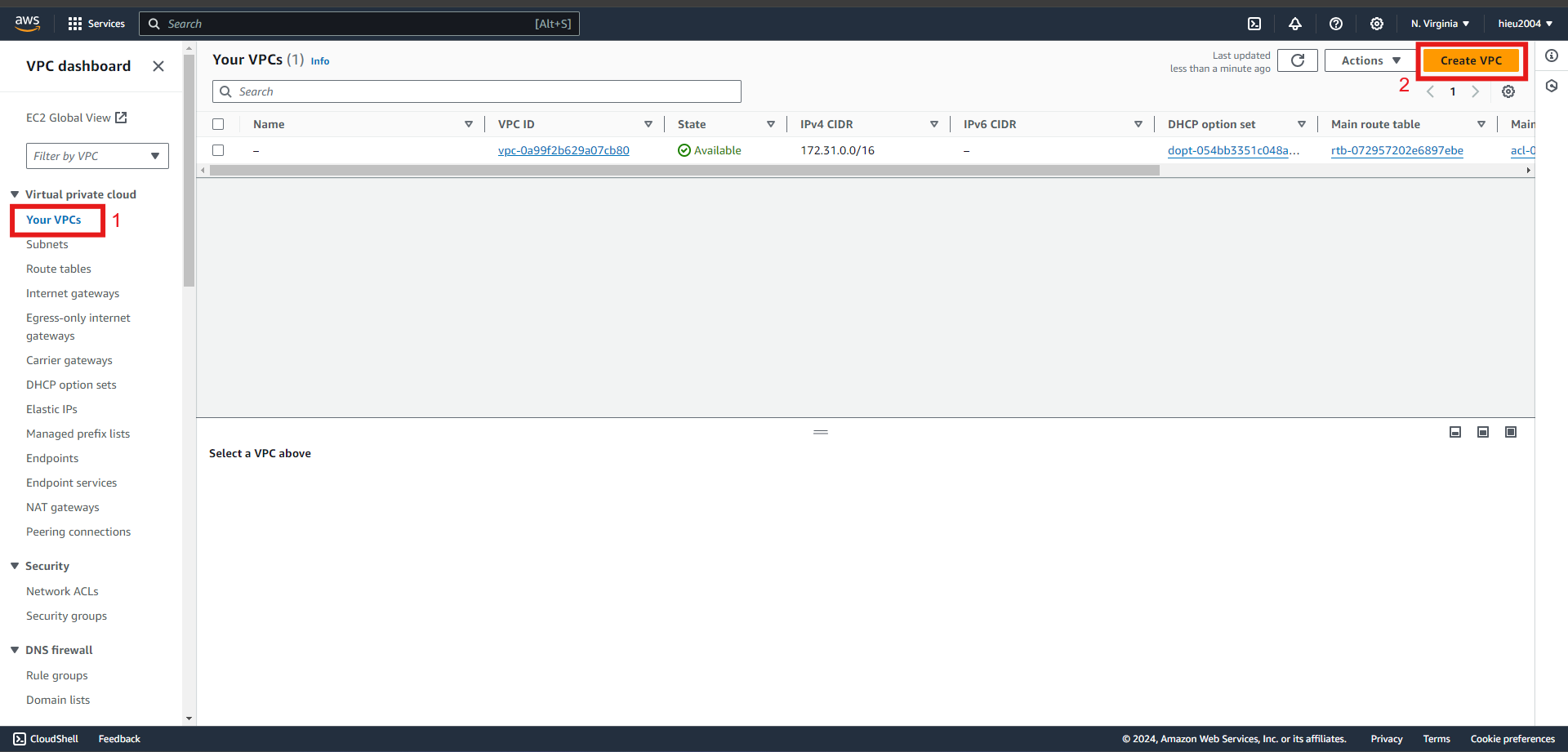
- At Create VPC, set up VPC Public with the following specifications:
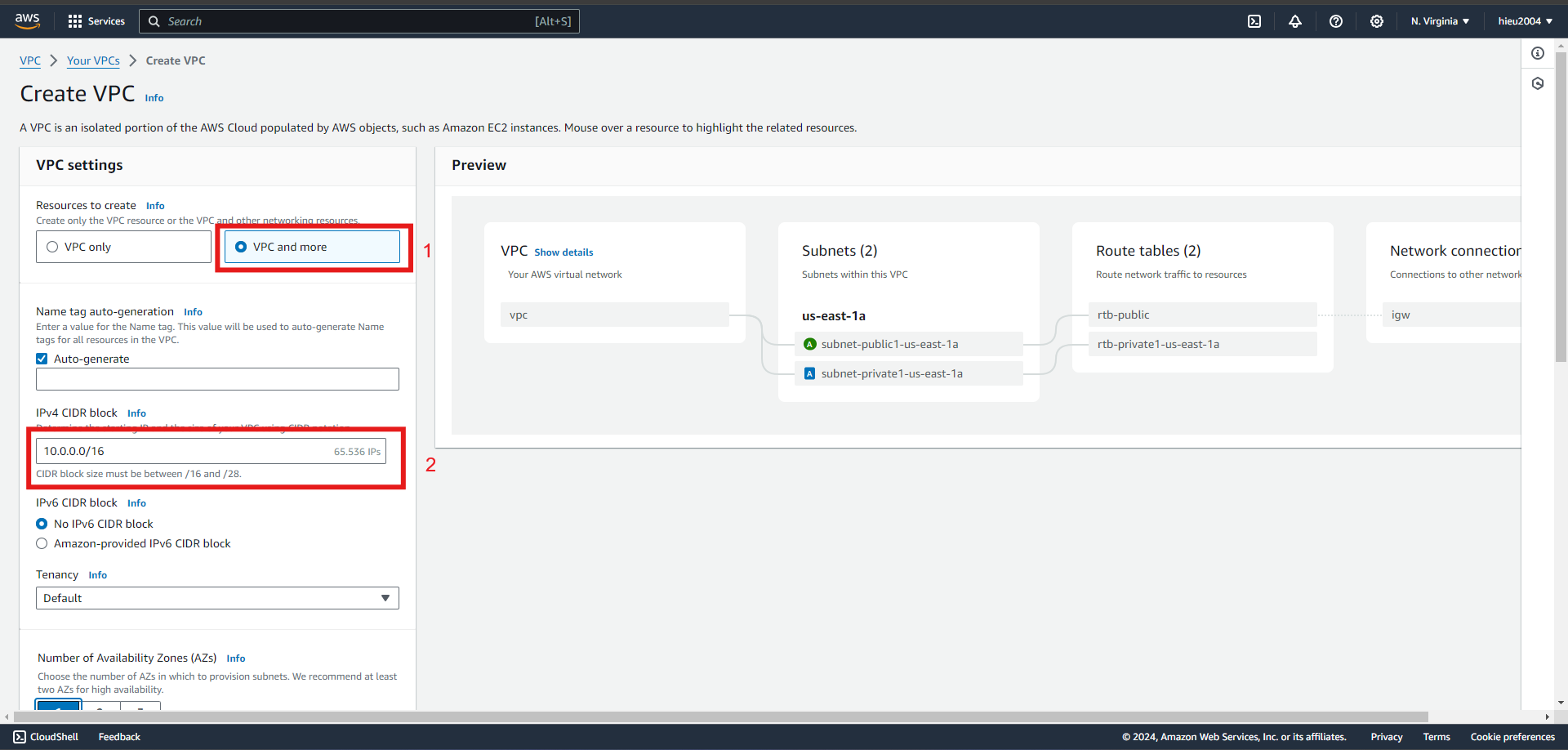
- VPC and more
- Type VPC name
- Type IP address as the graphic
- Select number of AZ. At this workshop, i use 1 AZ for it
- Public subnet 1, Private subnet 0
- Choose Create VPC
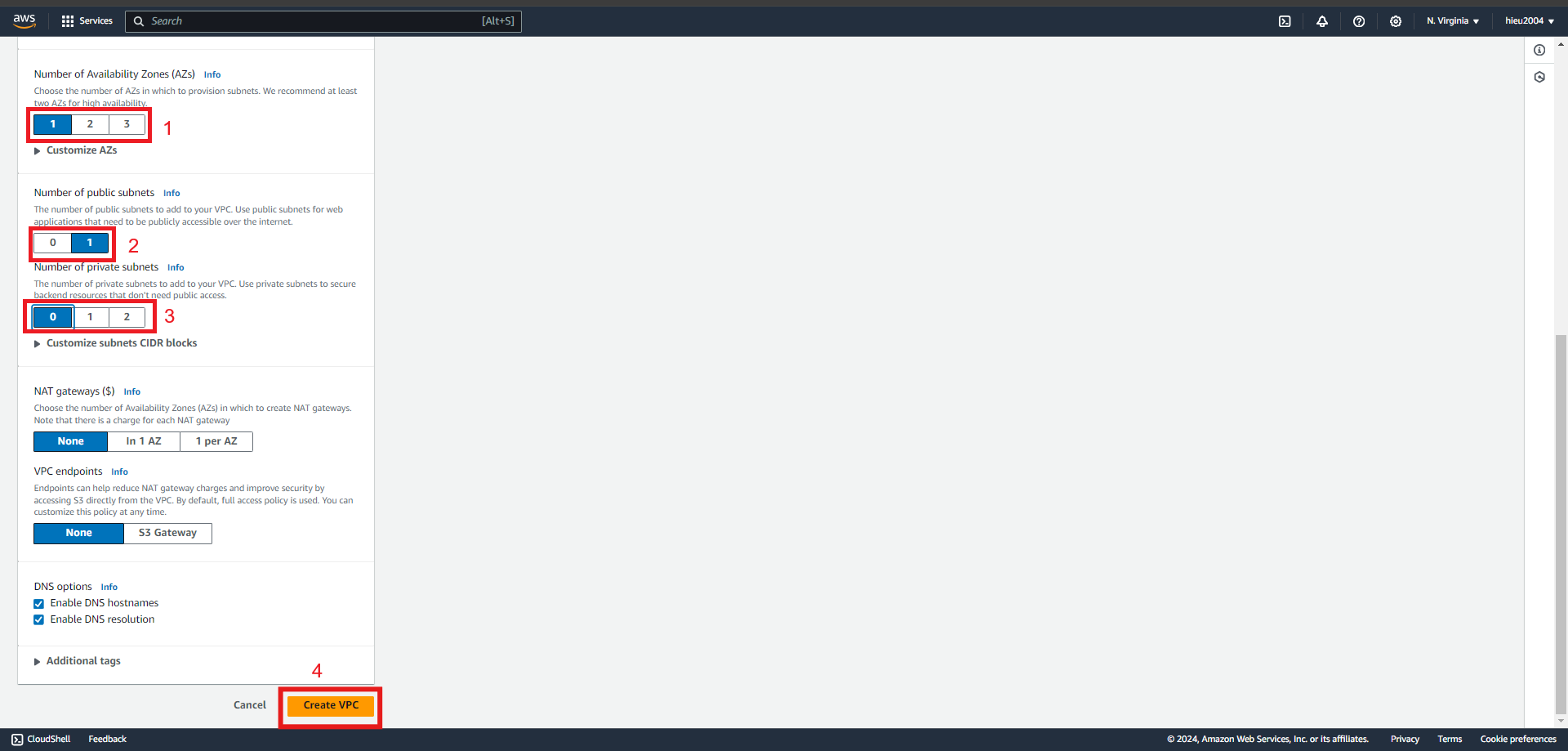
- VPC and more
- At Create VPC, set up VPC Private with the following specifications:
- VPC and more
- Type VPC name
- Type IP address as the graphic
- Select number of AZ. At this workshop, i use 1 AZ for it
- Public subnet 0, Private subnet 1
- Choose Create VPC
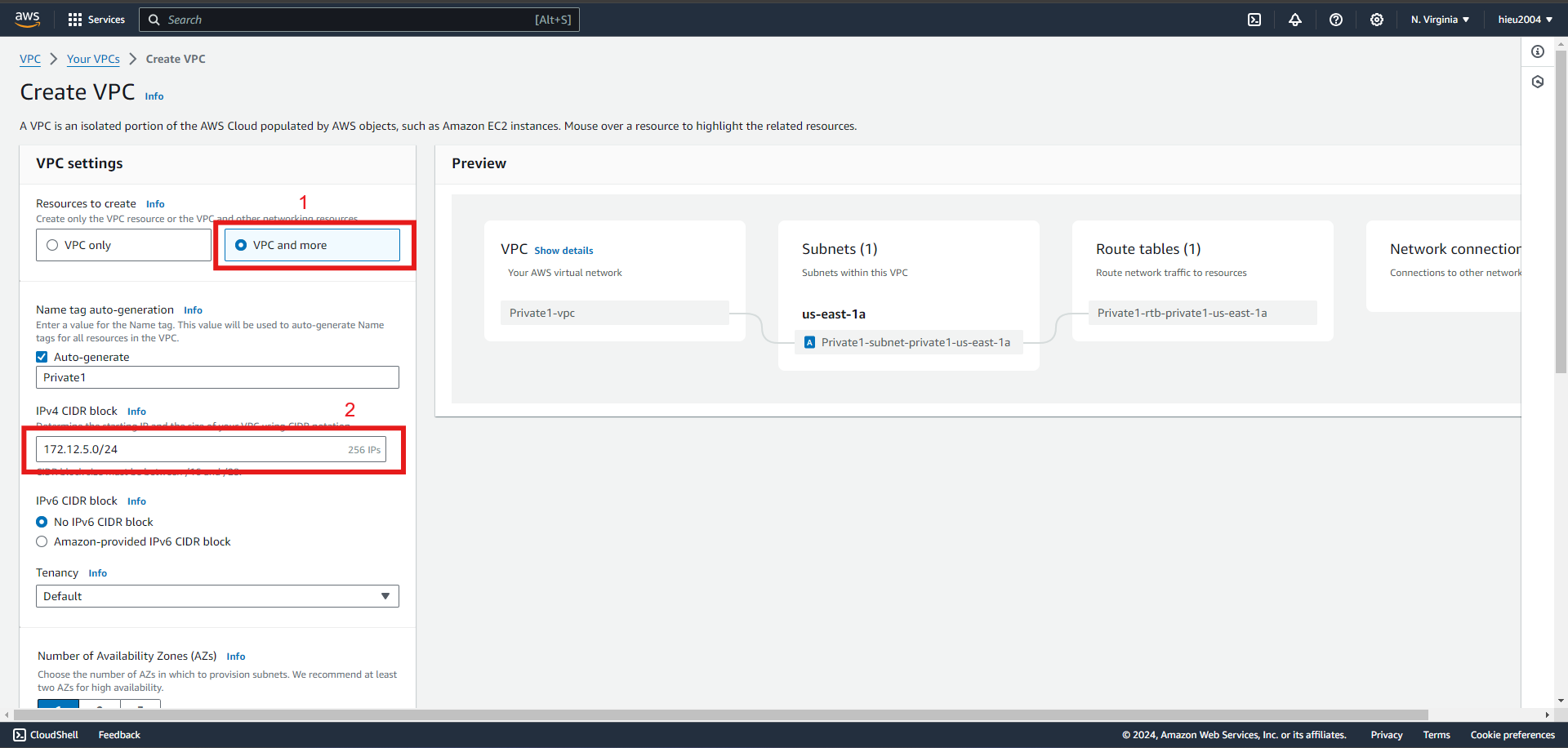
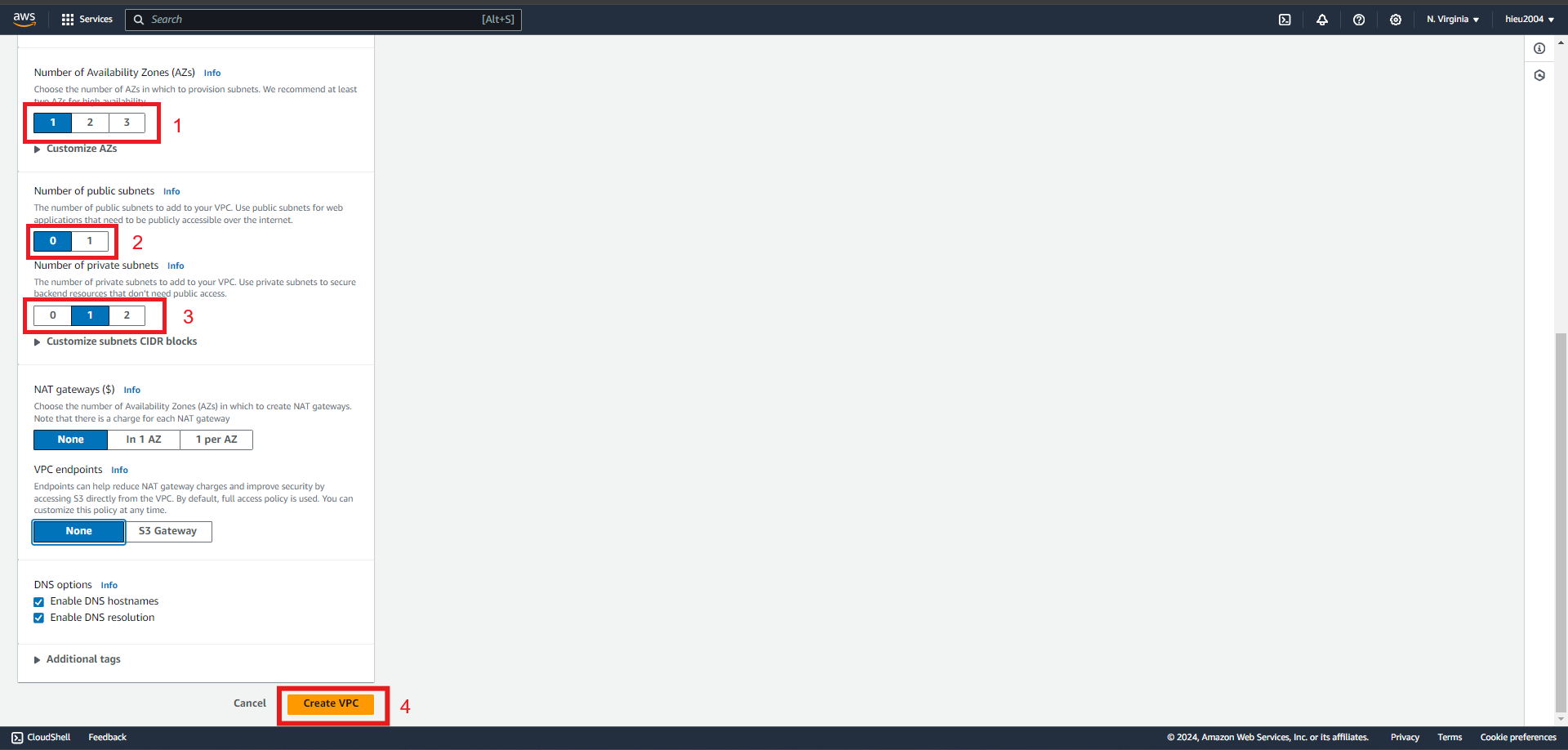
- VPC and more
- Do the same with other VPCs.
- Go to Subnet.
- Select the subnet just created during VPC creation
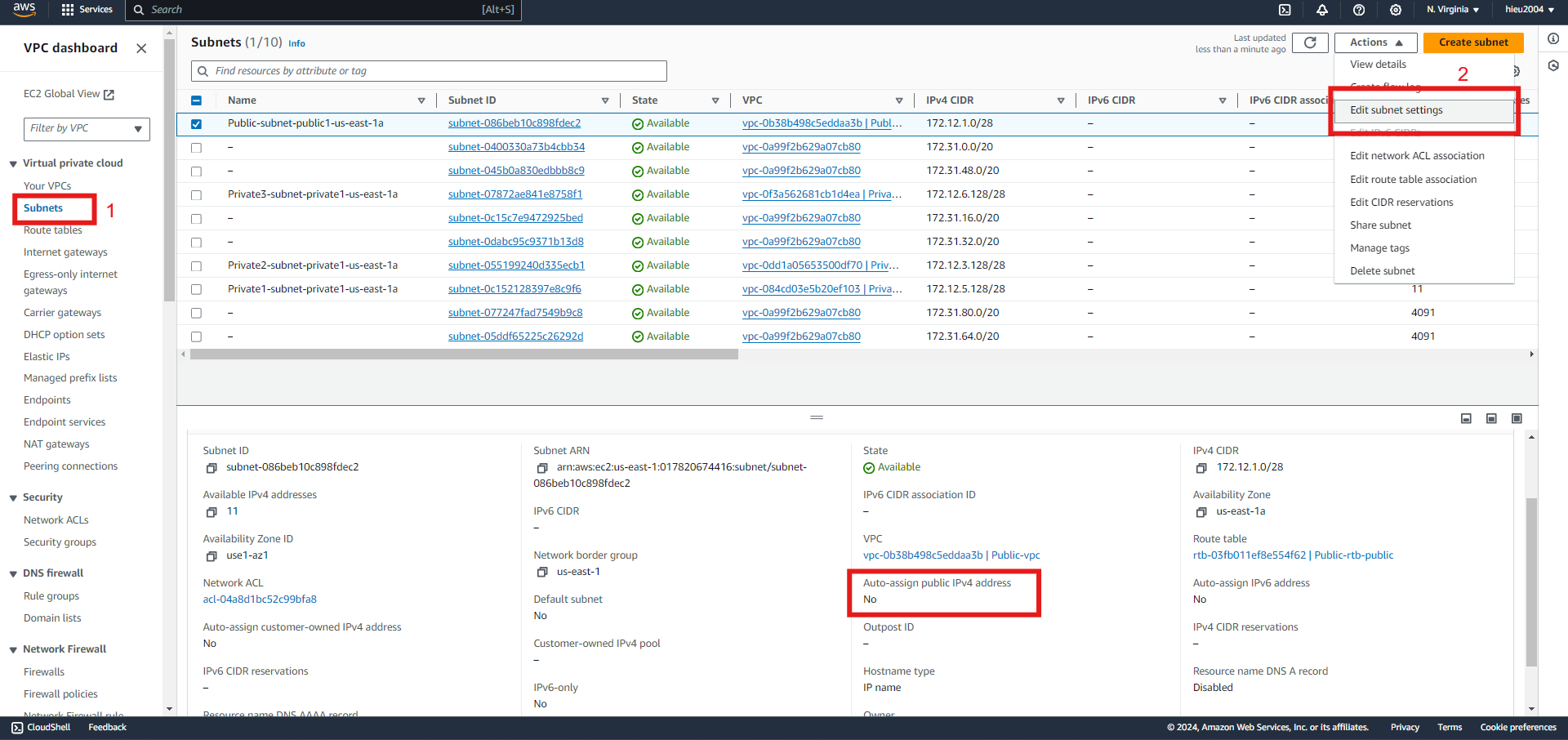
- Actions -> Edit subnet settings -> Enable auto-assign public IPv4 -> Save
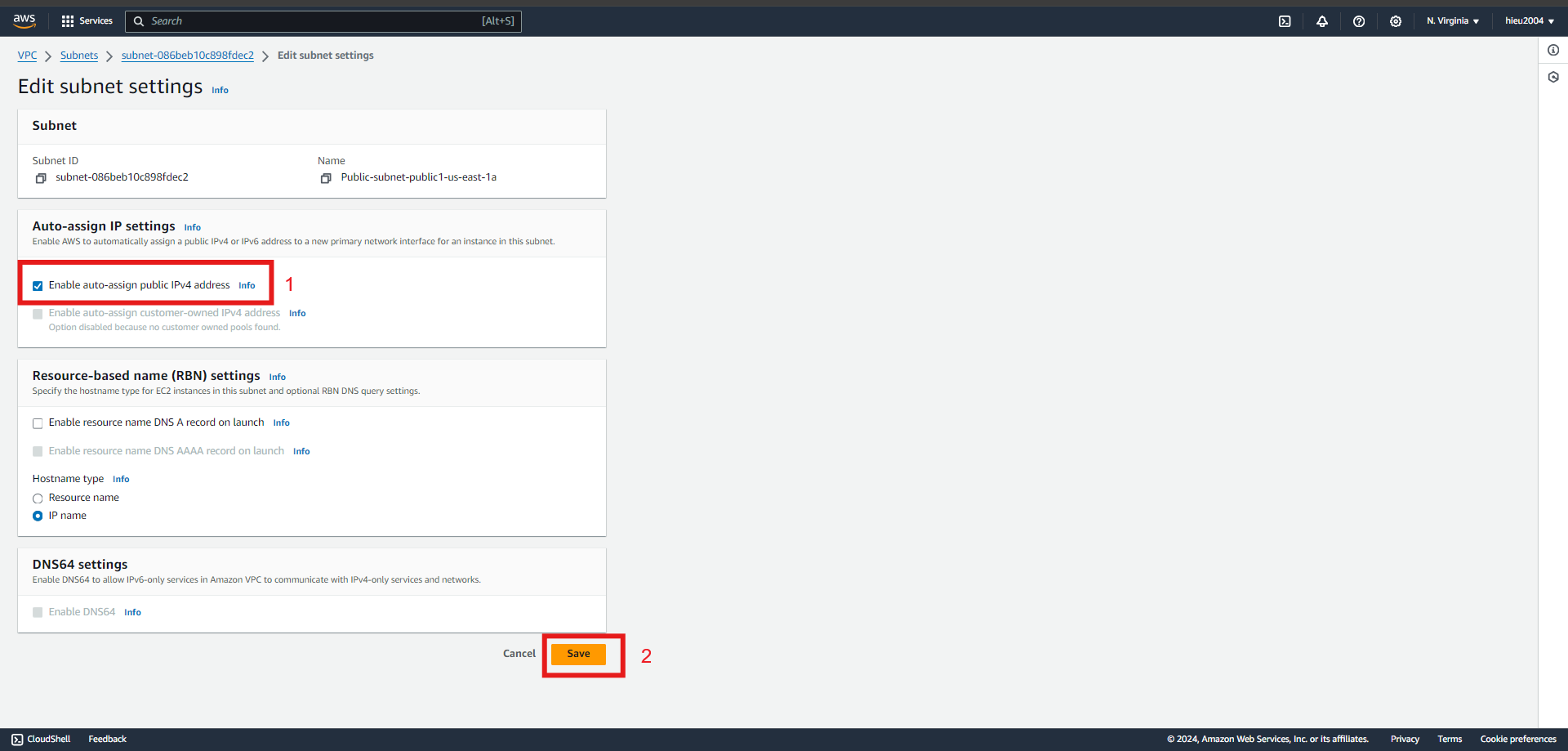
- Select the subnet just created during VPC creation
- Do the same with other subnets.